
LivePhish
nugs.netMusic & Audio
4.81.53K Reviews
- Version
- 4.2.3
- Installs
- 100.00K
- Age Rating
- Everyone
Screenshots
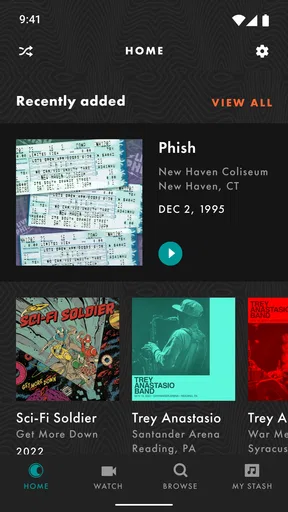
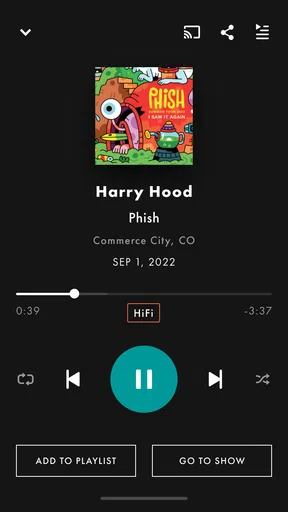
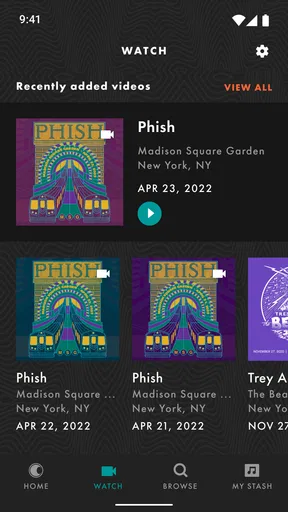
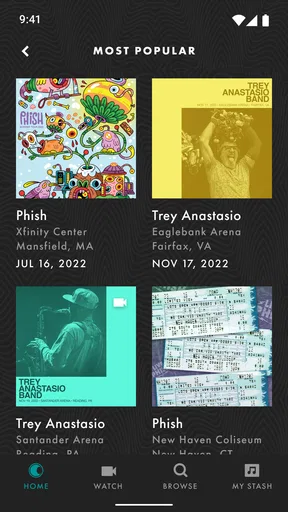
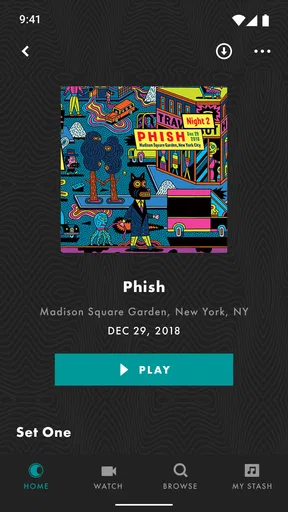
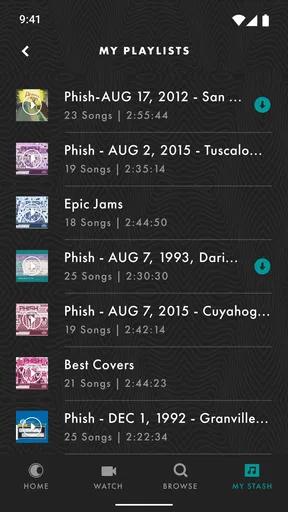
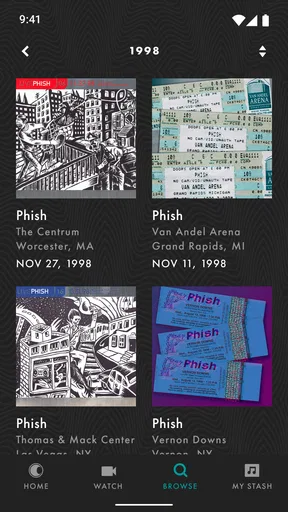
Our Review of LivePhish
 Analysis by Appyee
I reach for live recordings for a different reason than I reach for a playlist: I want to stay with one performance long enough to hear how a song changes in the room. That is the appeal of LivePhish. It is a music and audio app from nugs.net built around Phish concerts, so it makes the most sense when you already enjoy the band or want to explore its live side. If you mostly want a broad mix of artists and quick, familiar tracks, a general streaming service will probably fit your day better.
The app is free to install, rated for Everyone, and has a 4.8 average from around 4,000 ratings. Its current version is 4.1.17, and it has been available since 2011. Those details make it easy to try, but the practical question is what happens after opening it: can you find a performance that suits the moment, keep listening through a busy day, and tell whether the paid access is worthwhile for you?
A good starting point depends on how you listen
For a longtime fan, the starting point may be a particular tour, a remembered song, or the desire to hear a full show again. For a newcomer, it may be less obvious where to begin. I would avoid treating the catalog like a stack of interchangeable albums. A live performance rewards patience, and the same song can serve very different moods depending on its place in the set and the direction the band takes it.
That makes this app especially useful when you can give the music some uninterrupted attention: a long drive, a household chore, or a quiet evening with headphones. It is less compelling if you mainly listen in short bursts between notifications. The concert format is part of the point, and skipping around constantly can make the experience feel like a search task rather than a performance.
Explore the Jam-Packed Features
First off, let's talk about what you can actually do with the LivePhish app. It's like carrying the band in your pocket, with access to thousands of live recordings, studio albums, and even exclusive content that you won't find anywhere else. The app's library is seriously extensive, and I found myself lost in a sea of melodies, epic guitar solos, and those classic jam sessions that only Phish can deliver.
The app’s interface is smooth and intuitive, making navigation a breeze. Whether you’re a tech whiz or someone who still fondly remembers their first flip phone, you’ll find it easy to dive into the app and start streaming. Plus, the search functionality is spot-on, allowing you to filter by year, tour, or even specific concerts. How cool is that?
The catalog’s scale is best handled with a little intention. Instead of searching for a “best” show and hoping one result settles the question, I would use a known song or a period of the band’s history as a starting clue, then move into a full performance. Browsing by year, tour, or concert gives you a practical way to narrow the field without needing to know every show in advance. If you are new, pick one route and listen for a while before jumping to another; otherwise, the abundance of options can become its own distraction.
There is also a useful distinction between using LivePhish as a destination and using it as background music. A general service is usually better when you want a mixed queue, a broad selection of artists, or an easy change of mood. This app is more focused: it makes sense when the band itself is the reason you opened your phone. That focus is a strength for fans, but it also sets a clear limit for anyone hoping for an all-purpose replacement for their usual music library.
Offline Listening – A Lifesaver
One of the standout features for me has to be the offline listening option. Picture this: you're on a road trip, somewhere in the middle of nowhere with zero reception, but you’ve got Phish jamming away in the car. The app allows you to download your favorite shows for offline listening, ensuring that the music never stops, no matter where you are.
Downloading is a cinch. Just tap on the show or album you want, hit the download button, and voilà! It’s like having your own personal Phish concert ready to go anytime.
The practical trick is to plan the handoff from home to the road. Before leaving, choose the show you actually want for the trip and confirm that it has finished downloading while you still have a dependable connection. A long performance can be a better travel companion than a handful of disconnected tracks, but it also asks you to commit storage and listening time to one selection. I would keep the download choice deliberate rather than saving everything that looks interesting and sorting it out later.
Offline listening is most valuable for predictable gaps in coverage: a commute through a dead zone, a flight, or a drive where mobile reception comes and goes. It does not remove every travel friction, since you still need to prepare beforehand and remember which performance you saved. If you usually have reliable data and prefer to discover music spontaneously, streaming may be enough; if you dislike interruptions, downloading turns the app into a more dependable part of a travel routine.
Live Streams and Exclusive Content
But wait, there’s more! The app isn’t just about past performances. It’s also your gateway to live streams of current shows. If you can’t make it to a concert in person, the app has your back, streaming live shows straight to your device. It’s the next best thing to being there, complete with the energy and excitement of a live Phish concert.
And let’s not forget about the exclusive content. The app often features special releases, behind-the-scenes looks, and other goodies that you won’t find anywhere else. It’s like being part of an exclusive club where you get the inside scoop on all things Phish.
A live stream changes the listening plan: instead of picking an archive performance at a convenient time, you are making room for an event as it happens. That is appealing if following current shows is part of being a fan, but it is not the same kind of flexibility as choosing a recording whenever you like. I would treat streams as an occasional centerpiece rather than the reason to install the app if your schedule rarely lines up with them.
The app also gives a dedicated fan a place to look for material tied specifically to the band, rather than relying on the broad discovery tools of a general music service. That focus can make it easier to stay close to Phish’s live output. The trade-off is that the value depends heavily on your interest in this one group; exclusive material is a bonus for an engaged listener, not a substitute for variety if you are exploring music across many artists.
Making a useful choice before paying
LivePhish is free to download, while in-app purchases range from $9.99 to $199.99 per item. I would not treat those figures as a single subscription price: they describe a range of purchase options, so check what a specific offer includes before committing. The app’s broad catalog may be a strong reason for a regular fan to pay, but a newcomer can start by seeing how the interface and available listening fit their habits before deciding to spend.
This is also where the app differs from a conventional music subscription. A broad service earns its place through range and everyday convenience; LivePhish earns its place through concentrated access to Phish performances and related material. If you listen to the band often enough to return to full shows, that specialization can justify a separate place on your phone. If you only want to hear a few familiar songs now and then, a service you already use may be the simpler choice.
Why You’ll Love It
Now, you might be wondering if the app is worth it. If you’re already a die-hard Phish fan, then the answer is a resounding yes. The sheer volume of content is mind-boggling, and the ability to stream or download your favorite shows makes it invaluable for any fan.
Even if you’re new to the world of Phish, the app offers a fantastic way to dive deep into their music. You can explore different eras and tours, discovering the magic that has kept fans coming back for decades.
For someone new, I would make the first session small and purposeful: choose a concert or tour that catches your interest, listen long enough to settle into the set, and save the next discovery for another day. That approach is more rewarding than trying to survey an enormous archive in one sitting. It also helps you work out what you enjoy—extended improvisation, familiar songs in a live setting, or the atmosphere of a whole concert—before paying for access you may not use.
A realistic everyday use is putting on a downloaded show before a weekend drive, then letting it play while the road and the music unfold together. At home, the same recording can carry you through cooking or tidying without the repeated effort of choosing another track. For focused desk work, though, a long and dynamic performance may pull your attention away; a familiar playlist or less demanding background option could be a better fit. The right use is not simply “listen anywhere,” but matching a full live set to the time and attention you have.
The app has 50,000-plus installs, which suggests a dedicated audience rather than the reach of a general music platform. I see that as a useful signal of its niche, not a reason by itself to expect that every listener will love it. Its Everyone age rating makes the app broadly suitable to access, while the music’s long-form live character remains a matter of taste. You do not need to be a collector to enjoy it, but you do need some curiosity about Phish to get much from the focused catalog.
Subscription Details
Like many music apps, LivePhish does operate on a subscription model. While there’s a free version available, to get the most out of the app, you’ll want to consider a subscription. It unlocks the full library, live streams, and all that exclusive content I mentioned earlier. Trust me, it’s worth every penny.
Plus, supporting the band through the app helps ensure they can continue to create and share their incredible music with fans across the globe. It’s a win-win situation!
For a careful first decision, separate two questions: do you enjoy listening to Phish for more than a song or two, and do you expect to use the app often enough to value its dedicated catalog? If the answer to both is yes, paid access may make sense. If you are still testing the band’s sound, take time to explore what you can access before choosing an in-app purchase. The range of purchase amounts makes checking the individual offer especially important; do not assume every payment gives the same kind of access.
One small workflow improvement is to decide what the next listening session is for before opening the app. A named song or a remembered concert points toward search; a desire to explore points toward browsing by year or tour; a trip points toward downloading ahead of time. That simple choice cuts down on aimless scrolling and helps the app’s archive feel like a listening resource rather than a catalog you have to conquer.
Final Thoughts
In conclusion, the LivePhish app is a must-have for any Phish aficionado. It’s packed with features that keep the music flowing, whether you’re at home, on the road, or anywhere in between. The ease of use, coupled with the vast array of content, makes it a standout in the world of music apps. So go ahead, download it, and let the jams begin!
My recommendation is enthusiastic but specific: this is a strong choice for someone who wants Phish concerts to be a regular part of their listening, and a less convincing choice for someone seeking a broad, mixed-artist service. Its archive, concert-focused browsing, downloads, and live streams give fans several ways to shape a session, while the need to plan offline listening and assess paid options creates a little extra friction. If the band is already part of your life, that trade-off is likely worthwhile. If you are unsure, start with a modest listening goal and see whether you naturally want to come back for another show.
Verdict
Strengths of LivePhish
- High-quality audio streaming.
- Extensive archive of live shows.
- User-friendly interface.
- Offline listening available.
- Frequent updates with new content.
Limitations of LivePhish
- Subscription required for full access.
- Limited free content available.
- Occasional streaming glitches.
- No video content available.
- App can be slow on older devices.
Other Releases by nugs.net
View All
nugs
Music & Audio4.7
Similar Picks in This Category
View All
YouTube Music
Google LLC4.4

Samsung Music
Samsung Electronics Co., Ltd.3.8

Spotify: Music and Podcasts
Spotify AB4.3

JioSaavn - Music & Podcasts
Saavn Media Limited4.3

Lark Player:Music Player & MP3
Lark Player Studio - Music, MP3 & Video Player4.6

StarMaker: Sing Karaoke Songs
SKYWORK AI PTE. LTD.4.3
Frequently Asked Questions
What is LivePhish and what are its main features?
LivePhish is a streaming app dedicated to Phish fans, offering access to a vast library of live concert recordings. Key features include high-quality audio streaming, curated playlists, offline downloads, and exclusive content such as unreleased tracks and archival shows. It's perfect for fans who crave the live concert experience from anywhere.
Is LivePhish available on both Android and iOS devices?
Yes, LivePhish is available for download on both Android and iOS platforms. Users can find the app on the Google Play Store for Android devices and the Apple App Store for iOS devices, ensuring accessibility for a wide range of Phish fans regardless of their preferred mobile platform.
Does LivePhish offer offline listening options?
Absolutely! LivePhish allows users to download concert recordings for offline listening. This feature is especially beneficial for users who want to enjoy their favorite Phish concerts without relying on an internet connection, making it ideal for travel or areas with limited connectivity.
Are there any subscription fees associated with LivePhish?
LivePhish operates on a subscription model, offering various plans to suit different needs. While the app can be downloaded for free, accessing its full range of features and content requires a subscription. Detailed pricing and plan options are available within the app to help users choose the best fit for their listening habits.
How frequently is new content added to LivePhish?
LivePhish is regularly updated with new content, including recent concerts, exclusive tracks, and archival releases. This ensures that fans always have access to the latest performances and rare recordings. Users can expect fresh additions to the app, keeping their listening experience dynamic and exciting.
